
Filming Day Essentials: What Every Dentist Should Capture for Instagram and Reels

Filming Day Essentials: What Every Dentist Should Capture for Instagram and Reels

Filming Day Essentials shows dentists exactly what to capture for Instagram and Reels, and why it matters to patients. A simple plan for modern, reassuring, patient centred content.

Dentopia

Dentopia

published date

04, Feb 2026

#Social Media

#Dentist Instagram ideas

If you are a busy clinician, marketing can slip down the list. The question remains. What exactly should you film for Instagram and Reels so your dental practice feels modern, patient centred and dependable without losing half a day of clinic time. 

This guide from Dentopia Dental Marketing Agency gives you a clear, repeatable filming plan that turns one filming day into a month of bespoke content. You will know what to capture, how to capture it and why each shot helps patients feel calm, informed and confident about modern dentistry.

Dentopia turns one filming day into thirty days of calm, polished content for your dental practice. Book a free planning call and see the blueprint in action.

Set Your Objective Before You Press Record

Choose one clear job for your content and commit to it for the day. Pick one of these goals per filming session:

  • Reassure new patients by showing a soothing, professional environment

  • Educate existing patients with simple, at home dental care tips

  • Showcase modern dentistry technology and how it improves comfort, precision and time saved

  • Introduce your team to build familiarity and trust

Select three to four themes that support your single goal and stay with them throughout the day. This keeps filming simple and gives you a clean story when you edit.

Core Shot List, Your Contemporary Practice Environment

People form an impression in seconds. Let your space lead. Aim for fifteen to twenty short clips and stills that bring a clean, welcoming clinic to life.

What To Capture

  • Exterior and entrance with clear signage

  • Reception and waiting area with warm lighting and greenery

  • A calm walkthrough from the door to a treatment room to demystify the journey

  • Treatment chair, spotless trays, sterilisation area and visible safety steps

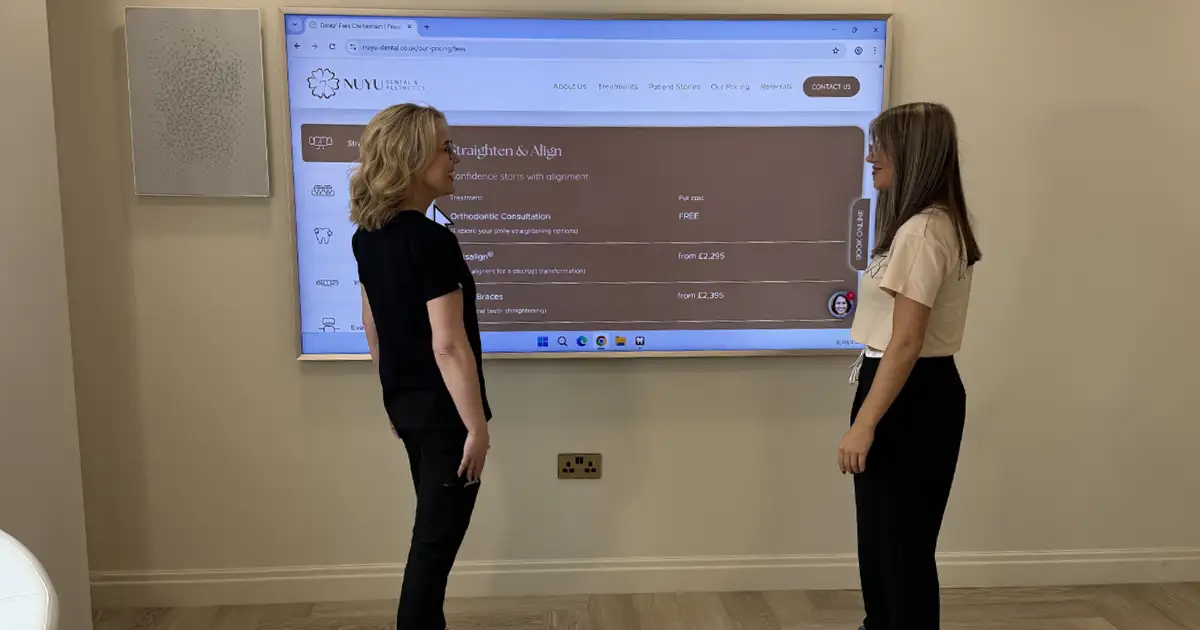
  • Close ups of the digital scanner, intraoral camera, 3D printer, CBCT control panel and patient education screens

How To Film It

  • Shoot vertical 9:16 for Reels and Stories. Hold your phone at chest height for steady movement

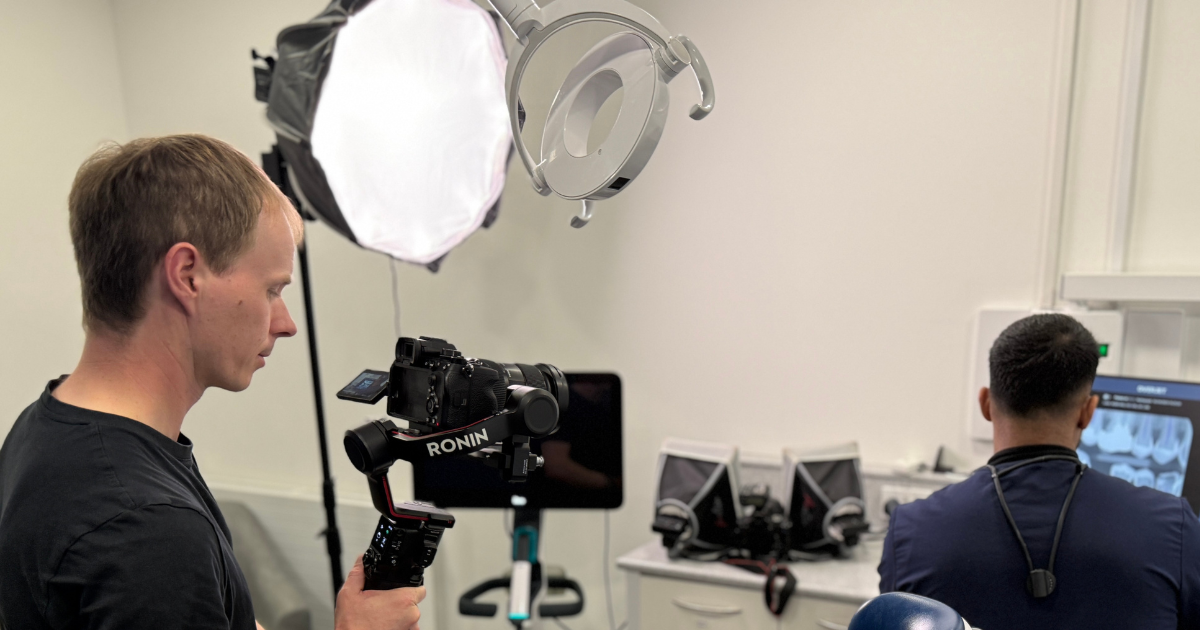
  • Favour daylight. Add soft white light to avoid harsh shadows or glare on mirrors and glass

  • Film three takes of each angle. A slow pan left to right, then right to left, then a clean static

  • Capture five to ten seconds per item. Keep clips short for smooth editing

Why These Shots Matter

  • Comfort. A tidy, relaxing space helps people know what to expect

  • Precision. Clinical grade equipment sets the scene for accurate diagnosis and treatment

  • Time saved. Tools like digital scanners reduce impressions and repeat visits

  • Visualisation. Large screens and camera footage help patients see what you see, which supports understanding and confident consent

Patient Centred Care Moments

With consent in place, record short scenes that show attentive care and thoughtful detail.

Ideas To Capture

  • A warm greeting at reception

  • A clinician explaining a step with a model or screen

  • A nurse preparing instruments with clear workflows

  • A handover between team members that shows teamwork

  • Offering headphones, blankets or music choices for comfort

Consent And Privacy

  • Collect written consent for any identifiable patient footage

  • Avoid filming records or screens with personal data

  • Keep a consent log and store it with a simple clip reference

  • When unsure, use staff as stand ins or film hands only shots

Why It Works 

These moments demonstrate empathy and clarity. They build trust before a new patient steps through your door.

Your everyday care already looks and feels reassuring. We help you capture it with clarity, pace and style. Message Dentopia to start your bespoke content plan.

Procedures And Technology In Action

Short, clean clips of technology reassure viewers that modern dentistry is precise and efficient.

What To Film

  • Intraoral camera on a model tooth with the live screen visible

  • Digital scanner gliding over a model arch, then a quick 3D render

  • Chairside milling or 3D printing in motion

  • A small overlay of a CBCT scan with a clinician pointing to a feature

  • Whitening tray prep or aligner handover, filmed hands only if needed

How To Keep It Engaging

  • Use clear labels on screen. For example, Faster scans. No goo. Clear visuals

  • Add simple benefit captions. Accurate fits. Fewer repeat visits

  • Keep clinical steps short. One step per clip is best

Why Tech Matters To Patients

  • Comfort. Digital scans are smooth and comfortable

  • Precision. Digital planning supports predictable results

  • Time saved. Fewer chairside adjustments and efficient reviews

  • Visualisation. People understand treatments better when they can see their own data

Team Introductions And Culture

People connect with people. Give viewers a warm reason to choose your practice.

Create A Simple Format

  • Name, role, one quick tip and one human detail

  • Seven to ten seconds per person, recorded in their workspace

  • Add a subtitle template in your brand colours for a cohesive look

Examples

  • Dentist, The one tool I wish every patient used

  • Hygienist, How to angle your interdental brush

  • Treatment coordinator or reception, What to bring to your first visit

Educational Tips And Myths, Simplified

Reels thrive on useful, bite size education. Plan six to eight clips you can post over several weeks.

Ideas That Perform Well

  • Five point daily routine for healthy gums

  • Fluoride facts in fifteen seconds

  • Electric versus manual brushes and who benefits

  • Whitening truths and what to avoid

  • How often to replace your toothbrush head

  • Aligners, what you can eat and how to care for trays

Keep It Simple

  • One idea per Reel

  • A clear hook in the first two seconds

  • On screen text for the key point

  • A gentle CTA that nudges a save or a share

Behind The Scenes, The Practice In Motion

Show your standards and systems. It is reassuring and relatable.

Film Short Sequences

  • Daily setup checklist in a treatment room

  • Sterilisation flow through the decontamination room

  • Stock rotation and lab pickups

  • Team huddle with the day’s priorities

Explain The Benefit

  • Systems protect safety and consistency

  • Preparation helps appointments run on time

  • Teamwork keeps care smooth and friendly

Technical Filming Essentials For Instagram And Reels

Phone Settings

  • Resolution, 4K at 30fps for master footage or 1080p at 60fps for crisp motion

  • Lens, main wide lens for most shots, 3 to 5x zoom or macro for close ups

  • Stabilisation, tripod or gimbal whenever possible

Lighting And Audio

  • Face subjects towards natural light from windows

  • Add a small LED panel for soft highlights

  • Use a plug in or clip on microphone for speaking parts

  • Keep equipment hum low when recording voice

Practical Kit

  • Microfibre lens cloth to avoid fog or smudges

  • Spare batteries and portable power

  • Discreet tripod with a phone mount

  • Alcohol wipes to clean safely between zones

Shot Planning

  • Storyboard your themes before the day

  • Capture A roll first, then batch B roll cutaways

  • Film three variants of each shot to give editors options

  • Name and store clips by theme for quick edits later

On Set Workflow Dentists Actually Use

  • Block twenty minutes per theme between patients

  • Record hooks first while energy is high

  • Batch similar setups to reduce changeover time

  • Get a safety take even if the first looks perfect

  • Log consent right after each patient centred clip

Editing And Posting Tips That Boost Reach

Editing

  • Trim with energy. Keep most clips under twenty seconds

  • Use gentle jump cuts and light zooms to maintain pace

  • Add branded colours and a clean lower third title

  • Always add subtitles. Many people watch on mute

Covers And Captions

  • Choose a clean cover image with a bold title for your grid

  • Write captions in plain English with one clear message

  • Use a soft CTA. Examples, Save this for your next visit, Share with a friend who dislikes impressions, Message us to see if this suits you

Hashtags And Geo Tags

  • Mix broad and local. Examples:

  • #ModernDentistry #DentalCare #OralHealth #DentistTips

  • #YourTownDentist #DentistUK #SmileWithConfidence

  • Add your city or area as a location tag to reach local audiences

Posting Rhythm

  • Two to three Reels per week is sustainable for most teams

  • Share Stories of daily life between Reels

  • Repost strong performers with a fresh hook after six to eight weeks

Measure What Matters

  • Watch time and completion rate show if your hooks connect

  • Saves and shares indicate educational value

  • Profile visits and DMs reflect intent to book

Proven Hooks, Scripts And Captions You Can Use Today

Hooks For The First Two Seconds

  • The scanner that replaces gooey impressions

  • Three toothbrush mistakes we see every week

  • What your hygienist wishes you knew

One Line Scripts

  • This digital scan takes minutes and shows us exactly where to focus

  • Aligners work best when you do these two simple things

  • Here is how we make the first visit feel familiar

Caption Frameworks

  • Problem, quick tip, benefit, CTA

  • Before, during, after, CTA

  • Myth, truth, why it matters, CTA

Turn One Filming Day Into A 30 Day Content Plan

From the shot list above you can produce:

  • Eight to ten Reels on technology, environment and care moments

  • Six micro education Reels

  • Four team introduction Reels

  • Ten to fifteen Stories from behind the scenes clips

  • Two carousels using stills with short tips

Post twice weekly on the grid, fill the gaps with Stories and reshare your top performers. Consistency compounds reach and builds trust over time.

Compliance Made Easy

  • Use a simple consent form for any identifiable patient footage and store it with a clip reference

  • Keep clinical advice general on social channels and invite viewers to seek personal guidance in practice

  • Avoid filming confidential information or treatment notes

Why This Approach Works On Instagram Reels

Reels reward clarity, pace and value. Short clips of modern dentistry equipment, a calm environment and patient centred moments answer what people care about. Is this practice friendly, precise and efficient. Will I understand my options. When you link technology to comfort, precision, time saved and visualisation, you ease worries and encourage first steps, from a like to a message to a booking.

Strategy first, filming second. Get a focused shot list, on set coaching and premium edits for Instagram Reels. Speak to Dentopia about dates and packages.

Summary

  • Plan a focused filming day with three to four themes

  • Capture your environment, care moments, technology in action, education and team culture

  • Keep clips short, vertical and well lit with clear on screen text

  • Edit with pace, brand consistently and post to a steady rhythm

  • Track watch time, saves and DMs to learn what your audience values most

At Dentopia, we specialise in bespoke content and performance strategies for dental practices. If you would like support planning your filming day, creating high impact video content or managing your Instagram and Reels, Dentopia is ready to help. Let us turn your everyday work into engaging stories that grow trust, enquiries and long term patient relationships. Reach out to explore how we can elevate your online presence with confidence.

Additional Practical Examples To Enrich Your Filming Day

Quick Sequences That Show Comfort

  • A patient choosing a playlist on a tablet before a hygiene visit

  • A clinician offering tinted safety glasses to soften overhead light

  • A soft blanket folded onto the chair before seating

Elegant Details That Signal Quality

  • Fresh flowers at reception with a neat appointment card stand

  • Branded toothbrush kits laid out for new patient visits

  • A care pack handed over with a simple thank you note

Ideas For Seasonal Reels

  • Summer hydration tips for oral health

  • Back to school lunchbox swaps that support teeth

  • Winter sensitivity tips and how to care for enamel

Content Pacing That Suits A Busy Diary

  • Film environment and tech before clinic opens

  • Capture team intros during lunch in two short blocks

  • Record education tips at the end of the day with a simple tripod setup

Smart Reuse Of Footage

  • Turn a scanner walkthrough into a Reel, a Story and a carousel

  • Clip a longer team chat into three tips over three weeks

  • Pair a still from a tech clip with a short caption for LinkedIn

Tone Of Voice Guide For On Screen Text

  • Calm and positive

  • No jargon, use plain English

  • Keep lines under six words

  • Focus on benefits first, features second

Simple Storyboard Examples

Storyboard A, Reassure New Patients

  • Hook, Take a calm walk through your first visit

  • Clip 1, Entrance and welcome

  • Clip 2, Reception smile and check in

  • Clip 3, Corridor and treatment room

  • Clip 4, Chair, blanket, headphones ready

  • CTA, Save this to feel ready on the day

Storyboard B, Showcase Technology

  • Hook, Faster scans, clear results

  • Clip 1, Scanner over model arch

  • Clip 2, 3D render on screen

  • Clip 3, Clinician pointing out a feature

  • Clip 4, Aligner handover pack

  • CTA, Message us to see if this suits you

Storyboard C, Education Series

  • Hook, Five steps for healthy gums

  • Clips, Short over the shoulder tips with brush and interdental aids

  • Text, One tip per line with a checkmark

  • CTA, Share with someone who loves a tidy routine

Branding Checklist For A Premium Feel

  • Consistent colour grade, soft and natural

  • Clear, legible fonts with high contrast

  • A simple logo end card held for one second

  • Subtitles placed high enough to avoid Reel UI

Accessibility And Inclusion

  • Subtitles on all videos

  • Avoid flashing effects

  • Use diverse, welcoming imagery

  • Provide alt text when you post

Efficiency Tricks For Clinicians

  • Keep a small gear pouch in the decon room

  • Pre save your hook lines in Notes for quick reference

  • Use a naming convention, Date Theme 01, Date Theme 02

  • Back up to cloud at lunch and at the end of day

Posting Calendar Template

Week 1

  • Reel, Calm walkthrough of reception to chair

  • Reel, Scanner in action with benefit captions

  • Stories, Team huddle and setup checklist

Week 2

  • Reel, Hygienist tip, interdental brush demo

  • Reel, Team intro, dentist with one tool wish

  • Stories, Sterilisation flow and stock rotation

Week 3

  • Reel, Whitening tray care, hands only

  • Reel, CBCT overlay with a simple explanation

  • Stories, Favourite patient comfort touches

Week 4

  • Reel, Three toothbrush mistakes to avoid

  • Reel, Aligner handover pack and routine

  • Stories, End of month round up and repost of top performer

Metrics To Review At The End Of The Month

  • Average watch time per Reel

  • Percentage of viewers who finished each clip

  • Saves and shares per education post

  • Profile visits and DMs per posting day

  • Growth in local followers and enquiry quality

Content Guardrails To Protect Trust

  • Avoid treatment promises or absolute claims

  • Do not show any protected health information

  • Keep advice general and invite personal guidance in practice

  • Use respectful language that supports patient dignity

Next Steps With Dentopia

If you want a bespoke content plan that fits your diary, we can help. We plan shoots, coach your team on camera, edit for a premium finish and manage your Instagram and Reels calendar. Our focus is building trust, growing enquiries and supporting long term patient relationships with thoughtful, modern storytelling.

Further reading

What Are The Benefits Of Social Media Marketing For Dentists?

30, Dec 2025

What Are The Benefits Of Social Media Marketing For Dentists?

Frequently Asked Questions

Even in compact spaces, focus on close-up shots that show care and attention, such as a patient being greeted or a clinician explaining a step. Use natural light, tidy backgrounds and vertical framing to create a professional look without showing the whole room.
Start with simple, low-pressure shots such as hands preparing instruments or a friendly smile at reception. Gradually build confidence by filming short introductions and sharing positive feedback from early clips.
Record all daylight shots first, then use soft LED panels to match lighting for later clips. Avoid mixed lighting sources, and adjust white balance in editing to create a smooth, cohesive look.
Name and store clips by theme, such as “Technology” or “Team Intros.” Back them up to a secure cloud or drive immediately after filming to avoid loss and make editing easier.
Keep transitions clean and rely on pacing, captions and simple text overlays. Use your practice’s colours and logo subtly to enhance professionalism without complex editing software.
Focus on key patient touchpoints, like the entrance, reception and one care moment. These shots build trust quickly and can be reused across multiple Reels with different captions or hooks.
Dentopia

Dentopia

Dental Marketing and Consultance

date icon04, Feb 2026